
NotebookLM
NotebookLM (now Gemini Notebook) is Google's source-grounded research assistant: you upload documents, and it answers only from those sources with inline citations, then turns them into Audio Overviews, Video Overviews, Mind Maps, Slide Decks, and study tools. The free tier is genuinely usable; paid limits are bundled inside Google AI plans. The hard boundaries are no consumer API, answers bounded by uploaded sources, and Audio Overview language quality that is still catching up outside English.
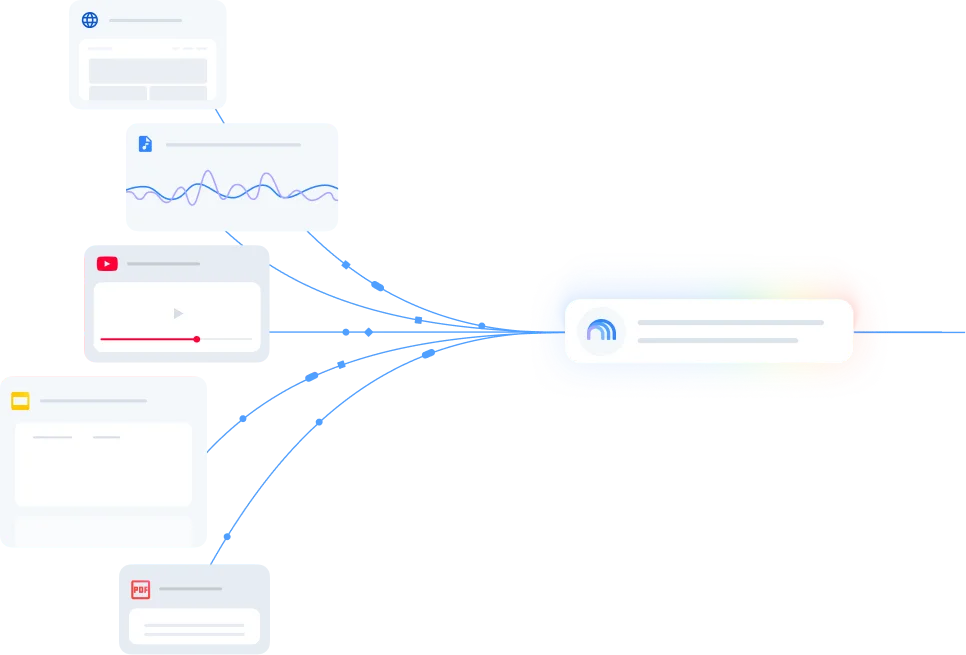
What is NotebookLM?
NotebookLM is Google's source-grounded research assistant, built on Gemini and using retrieval-augmented generation (RAG) over user-uploaded sources. It was renamed Gemini Notebook in July 2026, though the app remains at notebooklm.google.com and is still widely called NotebookLM. Its official framing, as stated by a member of the NotebookLM team, is a tool “for understanding things”—not a general-purpose chatbot, but a closed workspace in which a fixed set of documents is the boundary of truth.
The product's architecture is the key to understanding both its strengths and its limits. A regular chatbot answers from training data and the open web, which means it can drift, fabricate, or import assumptions the user did not supply. NotebookLM answers only from the sources in a notebook, with inline citations that jump to the exact passage used. If the sources do not cover a question, it says so instead of guessing. That design reduces hallucination and makes claims auditable, but it also means NotebookLM cannot substitute for a tool that researches the open web—Deep Research and Source Discovery exist to pull web material into the notebook, after which the same grounded answer model applies.
The feature set has expanded well beyond the Audio Overviews that first drove adoption. The Studio panel now generates Video Overviews (narrated explainers, including a Cinematic mode on paid tiers), Mind Maps, Slide Decks, Infographics, Data Tables, Reports, Flashcards, and Quizzes. Mind Maps have no daily limit on any tier. Deep Research runs multi-step investigations and can write and run code on a cloud computer on Ultra, with a rollout to Pro. The source types accepted include Google Drive files, PDFs, DOCX, PPTX, TXT, Markdown, CSV, ePub, audio (MP3, WAV, M4A, AAC), public YouTube URLs, web URLs, images, and pasted text—each source capped at 500,000 words or 200MB for local uploads.
A structural characteristic of NotebookLM is that it is not sold as a standalone product. Every paid tier is a bundle: Google AI Plus, Pro, or Ultra for personal accounts; Workspace Business Standard for teams; or NotebookLM Enterprise on Google Cloud for organizations that need VPC Service Controls, IAM, and audit logging. The free Standard tier is not a demo that withholds features—it includes Audio Overviews, Video Overviews, Deep Research, Slide Decks, and Mind Maps—but it caps volume at 50 sources per notebook, 50 chats per day, and 3 Audio and Video Overviews per day, with usage refreshing every 5 hours up to a weekly limit. The paid tiers exist to raise those caps, not to unlock capabilities the free tier lacks.
How does NotebookLM work?
A user creates a notebook, which functions as a project container for one research topic, course, API, or deal. Sources are added through the upload panel: PDFs, Google Docs and Slides, website URLs, public YouTube links, audio files, Markdown, and pasted text. NotebookLM indexes each source in seconds to a couple of minutes depending on size, then writes an automatic summary of the notebook. The chat panel sits in the center; a user asks a specific question, checks the citation numbers in the answer, and clicks one to jump to the exact passage in the source. Useful answers can be saved as notes.
The Studio panel is where source material is transformed into other formats. Audio Overviews generate a podcast-style discussion between two AI hosts; on paid tiers, the user can direct the conversation or join it interactively. Video Overviews produce narrated explainers, with Cinematic Video Overviews available at 2 per day on Pro and 10–20 per day on Ultra. Slide Decks, Infographics, Data Tables, Flashcards, and Quizzes are generated from the same source set. Deep Research can be invoked to gather additional web sources into the notebook before querying, and Source Discovery surfaces related material. On Ultra, and rolling out to Pro, NotebookLM can write and run code on a cloud computer—an agentic capability that extends the grounded workspace beyond text synthesis.
The output is always traceable to a source. Whether the result is a chat answer, an Audio Overview, a slide, or a quiz, the underlying claim can be checked against the uploaded material. This is the product's core workflow promise: not “the AI knows,” but “the AI can show you where this came from.” The cost of that promise is that the user must curate the sources, and the quality of the output is bounded by the quality and coverage of what was uploaded.
Use Cases
- Literature reviews and research synthesis: uploading a corpus of papers and asking for connections, gaps, and comparisons with citations back to each paper
- Turning lecture notes, textbook chapters, and course readings into study guides, practice quizzes, flashcards, and Audio Overviews for review during a commute
- Due diligence and competitive analysis: loading filings, reports, and articles into a notebook and querying across them without losing provenance
- Digesting API documentation and technical specifications, then generating implementation notes or onboarding material grounded in the actual docs
- Producing podcast-style or video explainers from a fixed evidence pack, where every claim in the audio or video can be traced to a source
- Grant writing: uploading an RFP alongside research drafts to check that evaluation criteria are addressed
- Faculty course design: converting lengthy research papers into lecture outlines and discussion prompts
Pricing
Pricing model: Freemium
| Plan | Price | Billing | Included usage | Notes |
|---|---|---|---|---|
| Standard (Free) | $0 | per month | 100 notebooks, 50 sources per notebook, 50 chat queries per day, 3 Audio Overviews per day, 3 Video Overviews per day, 10 reports per day, 10 Deep Research sessions per month. Each source can hold up to 500,000 words or 200MB. Usage refreshes every 5 hours up to a weekly limit. Available with any Google account, no card required. | — |
| Google AI Plus | $4.99 | per month | 200 notebooks, 100 sources per notebook, 200 chats per day, 6 Audio Overviews per day, 6 Video Overviews per day, 20 reports per day, 3 Deep Research sessions per day. Roughly double the Standard limits. Not available in all regions. | — |
| Google AI Pro | $19.99 | per month | 500 notebooks, 300 sources per notebook, 500 chats per day, 20 Audio Overviews per day, 20 Video Overviews per day, 100 reports per day, 20 Deep Research sessions per day. 4x Standard limits. Includes higher Gemini model access and watermark removal toggle. US students with a .edu email pay $9.99/month for 12 months. | — |
| Google AI Ultra (20TB, $99.99 tier) | $99.99 | per month | 500 notebooks, 500 sources per notebook, 2,500 chats per day, 100 Audio Overviews per day, 100 Video Overviews per day, 10 Cinematic Video Overviews per day, 500 reports per day, 75 Deep Research sessions per day. Includes watermark-free outputs for Infographics and Slide Decks. | — |
| Google AI Ultra (30TB, $199.99 tier) | $199.99 | per month | 500 notebooks, 600 sources per notebook, 5,000 chats per day, 200 Audio Overviews per day, 200 Video Overviews per day, 20 Cinematic Video Overviews per day, 1,000 reports per day, 200 Deep Research sessions per day. The highest consumer allowance. | — |
| Workspace Business Standard | $14 | per user / month (annual) | 200 notebooks, 100 sources per notebook, 500 chats per day, 20 Audio Overviews per day, 20 Video Overviews per day. Plus-level caps with Workspace data protection. A core service for Workspace and Workspace for Education accounts. | — |
| NotebookLM Enterprise | ~$9 | per license / month | Pro-equivalent caps (500 notebooks, 300 sources per notebook) plus VPC Service Controls, IAM, audit logging, and enterprise data governance. Minimum 15 licenses after a 30-day trial. Billed through Google Cloud. | — |
Common Limitations
- No public API for the consumer product · NotebookLM's consumer tiers (Free, Google AI Plus/Pro/Ultra) have no public API or MCP server. The notebook API that exists is limited to NotebookLM Enterprise on Google Cloud and is in preview. This is a structural constraint, not a temporary gap: teams that need programmatic access—batch-uploading sources, running queries across notebooks from a script, or integrating NotebookLM into an existing pipeline—cannot do so on any personal Google AI plan. The Enterprise route requires a minimum of 15 licenses and Google Cloud billing. Community-built MCP servers exist, but they rely on browser automation and carry reliability and terms-of-service risks that a supported API would not.
- Audio Overview language gap and historical English-only bias · NotebookLM supports uploading sources in 50–80+ languages, and the interface and text outputs have broad language coverage. However, Audio Overviews—the feature that drove much of the product's adoption—were historically English-only in spoken output even when sources were in other languages. Google began upgrading non-English Audio Overviews in October 2026, stating that non-English versions would “mirror the rich, detailed experience of the English version,” and Video Overviews reached 80 languages at the same time. But the rollout is recent, and quality across languages has not been uniformly verified. Independent reviews note that Audio Overview quality “schwankt nach Sprache” (varies by language) and that English remains the most mature. Users producing audio deliverables in non-English languages should test the target language before building a workflow around it, rather than assuming the October 2026 announcement closed the gap entirely.
- Answers are bounded by uploaded sources; no native live web access · NotebookLM is a source-grounded RAG system: it answers only from the sources in a notebook, with inline citations back to the exact passage. This is its defining reliability advantage—it reduces hallucination and makes claims verifiable—but it is also its hardest boundary. If a question is not covered by the uploaded sources, NotebookLM will say so rather than drawing on general knowledge or the open web. Users who need fresh web research must first use Deep Research or Source Discovery to pull web content into the notebook, and then query against that. There is no mode in which NotebookLM answers from live web results or from the model's training data. For open-ended research where the source set is not fixed in advance, this is a workflow constraint that requires a different tool (e.g., Perplexity Spaces) rather than a settings change.
- Source and usage caps force upgrade decisions earlier than expected · The free tier's 50-source cap is reached quickly on literature reviews, multi-document due diligence, or course materials that span more than a semester. Each source can hold up to 500,000 words or 200MB, so the source count—not file size—is usually the binding constraint. Daily caps compound this: 3 Audio Overviews per day and 10 Deep Research sessions per month mean that heavy use exhausts the allowance within the first week of a month. Google AI Plus doubles the limits to 100 sources and 6 Audio Overviews per day, but 100 sources is still modest for a full research library. The jump to Pro (300 sources) or Ultra (500–600 sources) is the point at which the caps stop being a day-to-day constraint, and those tiers are $19.99 to $199.99 per month. Users should budget for the tier that matches their source library size, not the tier that matches their initial impression of the tool.
- Regional availability and account-type dependencies · NotebookLM is available in 180+ regions where the Gemini API is available, but Google AI Plus, Pro, and Ultra—the only routes to paid NotebookLM limits for personal accounts—are sold only in specific regions. A user in an unsupported region can use the free tier but cannot upgrade. Work and school Google Workspace accounts often have NotebookLM included as a core service, which can make the personal subscription unnecessary or duplicative; checking the work account before paying is a practical step that reviewers consistently recommend. Conversely, Workspace for Education accounts have different data-protection terms, and some organizations restrict approved data types to public and internal only. The service is officially unavailable in Russia, where the site returns a “region not supported” page and a VPN is required—a reminder that “180+ regions” is not the same as “everywhere.”
- Enterprise controls are gated behind the Cloud license, not the consumer plans · Consumer Google AI plans do not include VPC Service Controls, IAM, audit logging, or the enterprise data-governance provisions that organizations handling sensitive material typically require. Those controls are available through NotebookLM Enterprise, which is billed per license (minimum 15) through Google Cloud and is positioned separately from the personal subscription. A team that starts on Google AI Pro and later needs audit logs or data-residency controls cannot simply toggle a setting; it must migrate to the Enterprise licensing route. This is a planning consideration for anyone adopting NotebookLM in a regulated or compliance-sensitive environment, not a gap that a higher consumer tier closes.
Key Features
- Source-grounded answers with inline citations back to the exact passage
- Audio Overviews: podcast-style discussions, directable and interactive on paid tiers
- Video Overviews with narration, including Cinematic Video Overviews on Pro and Ultra
- Mind Maps with no daily limit on any tier
- Slide Decks, Infographics, Data Tables, Reports, Flashcards, and Quizzes
NotebookLM vs. ChatGPT Projects, Claude Projects, and Perplexity Spaces
This comparison uses official documentation and independently published workflow comparisons available as of November 2026. It focuses on the structural difference that separates these tools: what each one treats as the boundary of truth. NotebookLM is a closed RAG system where uploaded sources are the only evidence; ChatGPT and Claude Projects treat files as context for a general reasoning engine; Perplexity Spaces treats saved material as a starting point for ongoing web discovery. Capability overlaps, but the workflow implications diverge sharply, and those differences—not a universal quality ranking—are what this comparison prioritizes.
| Tool | Positioning | Key differences | Best fit | Pricing note |
|---|---|---|---|---|
| NotebookLM NotebookLM upgrade and plan limits (official) NotebookLM source types (official) Independent review (documents no consumer API and RAG boundary) | Google's source-grounded research assistant, built on a closed RAG model where uploaded sources are the boundary of truth and every answer carries a citation to the passage used. | The strongest citation precision and grounding among the four, because it does not answer outside the source set. Studio outputs—Audio Overviews, Video Overviews, Mind Maps, Slide Decks, Flashcards, Quizzes—have no direct equivalent in the other tools. The free tier is unusually complete (every core feature, 50 sources, 3 Audio/Video Overviews per day) and does not require a card. However, there is no public API on consumer plans, no live web access without first pulling sources in through Deep Research, and Audio Overview language quality outside English is still maturing. | Literature reviews, due diligence, study workflows, and any task where a fixed evidence pack must be interrogated with traceable citations and turned into audio, video, slides, or study materials. | Free Standard: $0, 50 sources, 3 Audio/3 Video per day. Google AI Plus $4.99: 100 sources, 6 Audio/6 Video per day. Google AI Pro $19.99: 300 sources, 20 Audio/20 Video per day. Google AI Ultra $99.99/$199.99: 500/600 sources, 100/200 Audio per day. No standalone purchase; no consumer API. |
| ChatGPT Projects Independent workflow comparison (documents citation and boundary differences) Free-tier file limit comparison (5 files vs 50 sources) | OpenAI's persistent workspace inside ChatGPT where files and instructions stay together, with the general reasoning engine and optional web search available alongside them. | The inverse design choice: ChatGPT Projects treats uploaded files as context for a general reasoning engine, not as the boundary of truth. This makes it stronger for drafting, revision, and open-ended synthesis that draws on broader knowledge, but weaker on citation precision—independent comparisons describe its citations as “weaker and less consistent” than NotebookLM's. The free tier holds 5 files per project, compared with NotebookLM's 50 sources per notebook, so NotebookLM is materially more generous on source capacity at $0. ChatGPT Projects has no Studio equivalent: no Audio Overviews, Video Overviews, Mind Maps, or Flashcard generation. It does have an API, which NotebookLM's consumer product lacks. | Workflows where the goal is to turn research into a deliverable—drafting, revising, and synthesizing with the files as reference rather than as a closed evidence boundary, and where a wider knowledge base and API access matter. | Free: 5 files per project. Plus $20/month. Pro tiers from $100/month. API billed separately. Included in ChatGPT subscriptions; no separate Projects charge. |
| Claude Projects Independent comparison (documents persistent-context vs fixed-source difference) Claude pricing and project limits | Anthropic's persistent project workspace with a knowledge base, custom instructions, and chat history per project, built around durable context rather than a fixed source boundary. | Claude Projects is designed for persistent project context—reusable instructions and a knowledge base that carries across sessions—rather than for interrogating a fixed evidence pack with passage-level citations. It handles documents mixed with code and drafting well, which NotebookLM does not attempt. The free tier allows 5 projects; Pro is $17–$20 per month. NotebookLM has no equivalent to Claude's code-adjacent document workflow, and Claude has no equivalent to NotebookLM's Audio/Video Overviews or study-tool generation. NotebookLM's free tier is more generous on sources per notebook (50 vs. 5 projects with their associated files), but Claude's strength is continuity of context rather than source-count capacity. | Long-running projects that mix documents, code, and drafting where reusable instructions and persistent context matter more than passage-level citation or multimedia overview generation. | Free: 5 projects. Pro $17/month annual or $20/month monthly. Max $100 or $200/month. Team $20–25/seat/month. API billed separately. |
| Perplexity Spaces Independent comparison (documents search-grounded vs fixed-evidence distinction) Perplexity pricing | Perplexity's research workspace that pairs uploaded documents with cited web search, designed for ongoing discovery rather than a closed evidence pack. | Perplexity Spaces is built for research where each question may need fresh web results alongside saved material. Its default mode is search-grounded, not source-bounded: it will go to the web and cite what it finds, which is the opposite of NotebookLM's closed RAG boundary. That makes Spaces more suitable for open-ended discovery and less suitable for audits where every claim must trace to a pre-approved document. Spaces does not have NotebookLM's Studio outputs—no Audio Overviews, Video Overviews, or Flashcard generation—and its document analysis is oriented toward search-augmented answers rather than a fixed corpus. NotebookLM is stronger when provenance to a specific uploaded passage is the requirement; Spaces is stronger when the question itself is still being formed. | Ongoing research and discovery where the source set is not fixed in advance and each question may require fresh web evidence alongside saved documents. | Free with limits. Pro $20/month. Enterprise custom. API access available separately. |
Comparison checked against official product information on 2026-11-04. Features and pricing may change.
Frequently Asked Questions
Is NotebookLM free?
Yes, the Standard tier is free with any Google account, requires no credit card, and has no time limit. It includes every core feature—Audio Overviews, Video Overviews, Deep Research, Slide Decks, Mind Maps, Flashcards, and Quizzes—and is limited by volume, not by feature gating: 100 notebooks, 50 sources per notebook, 50 chats per day, and 3 Audio and Video Overviews per day. Usage refreshes every 5 hours up to a weekly limit. Paid tiers are Google AI bundles that raise those caps; you cannot buy NotebookLM as a standalone product.
Can I access NotebookLM programmatically through an API?
Not on any consumer plan. NotebookLM's personal tiers (Free, Google AI Plus/Pro/Ultra) have no public API or MCP server. The notebook API that exists is limited to NotebookLM Enterprise on Google Cloud and is in preview; the Enterprise route requires a minimum of 15 licenses and Google Cloud billing. Community-built MCP servers rely on browser automation and carry reliability and terms-of-service risks. If programmatic access is a hard requirement, NotebookLM is not the right tool on a consumer subscription.
Does NotebookLM search the web?
Not directly. NotebookLM answers only from the sources you upload, with citations back to the exact passage. If a question is not covered by your sources, it will say so rather than drawing on the open web or training data. Deep Research and Source Discovery can gather web material into a notebook, after which you query against that material. There is no mode in which NotebookLM answers from live web results. If your workflow requires fresh web research alongside saved documents, Perplexity Spaces or ChatGPT Projects are built for that pattern; NotebookLM is built around a fixed evidence pack.
Do Audio Overviews work in languages other than English?
This has been a moving target. Audio Overviews were historically English-only in spoken output even when sources were in other languages. In October 2026, Google announced that Video Overviews were available in 80 languages and that non-English Audio Overviews would “mirror the rich, detailed experience of the English version,” with non-English Audio Overviews upgraded. Independent reviews still note that quality varies by language and that English remains the most mature. If you need audio deliverables in a specific non-English language, test that language before building a workflow around it rather than assuming the announcement closed the gap uniformly.
What is the difference between NotebookLM and ChatGPT Projects or Claude Projects?
The difference is the boundary of truth. NotebookLM is a closed RAG system: it answers only from the sources in the notebook, with citations that highlight the exact passage. ChatGPT Projects and Claude Projects treat uploaded files as context for a general reasoning engine—they can synthesize and draft well, but their citations are weaker and less consistent, and they can draw on broader knowledge beyond the files. NotebookLM is the stronger choice when provenance matters and the source set is fixed; ChatGPT or Claude Projects are the stronger choice when the task requires drafting, open-ended reasoning, or mixing saved material with general knowledge. A practical pattern reviewers recommend is to do grounded extraction in NotebookLM, where citations keep you honest, then move verified facts into a drafting tool.
Alternative Tools
-
 Elicit Elicit is a systematic review workflow tool with a strong structured extraction interface, but independent evaluations find its search sensitivity averages 39.5% and its quote/reasoning matching degrades to 10%/0% in high-accuracy mode, positioning it as a complement to human reviewers rather than a replacement.
-
 Perplexity Perplexity is a cited answer engine that combines real-time web search with advanced language models, but its $20 Pro tier is licensed for personal non-commercial use only, its Pro Search allowance is an unpublished “weekly limit,” and its API is a separate pay-as-you-go billing system.
-
 Brave Search API Brave Search API provides web, news, image, video, local, and LLM Context results from Brave's independent index, priced per request with a $5 monthly credit, aimed at AI agents and RAG pipelines rather than Google SERP replication.
-
 Exa Exa is a semantic search API built on its own 500B+ page index, with page text included in search results, strong entity-lookup accuracy, an official MCP server, and per-request pricing from $4/1k. It is not a benchmark leader across the board—it is statistically tied with Brave and Firecrawl on independent agentic search benchmarks—and its 10 QPS limit, non-paginating search, crawl-bounded recency, and Enterprise-only compliance features are hard constraints that require workflow design around them.
-
 Tavily Tavily is a web access API for AI agents with a genuinely usable free tier (1,000 credits/month, no card), bundled full-page text in search results, and an official MCP server. But its Research endpoint is dynamically priced at 4–250 credits per request, the headline 1,000 RPM applies only to paid Production keys, entity and academic retrieval lag specialized indexes by large margins, and query data may be used for training unless Zero Data Retention or the data-use setting is changed.
-
 ChatGPT ChatGPT is a general-purpose AI assistant for writing, file and data analysis, web research, image generation, coding, and voice conversations.