
Make
Make is a visual automation platform for building multi-step workflows across 3,500+ apps. It includes AI Agents that operate inside the same scenario canvas, with credit-based pricing starting at $9/month and a free tier limited to 1,000 credits and 5-minute executions.
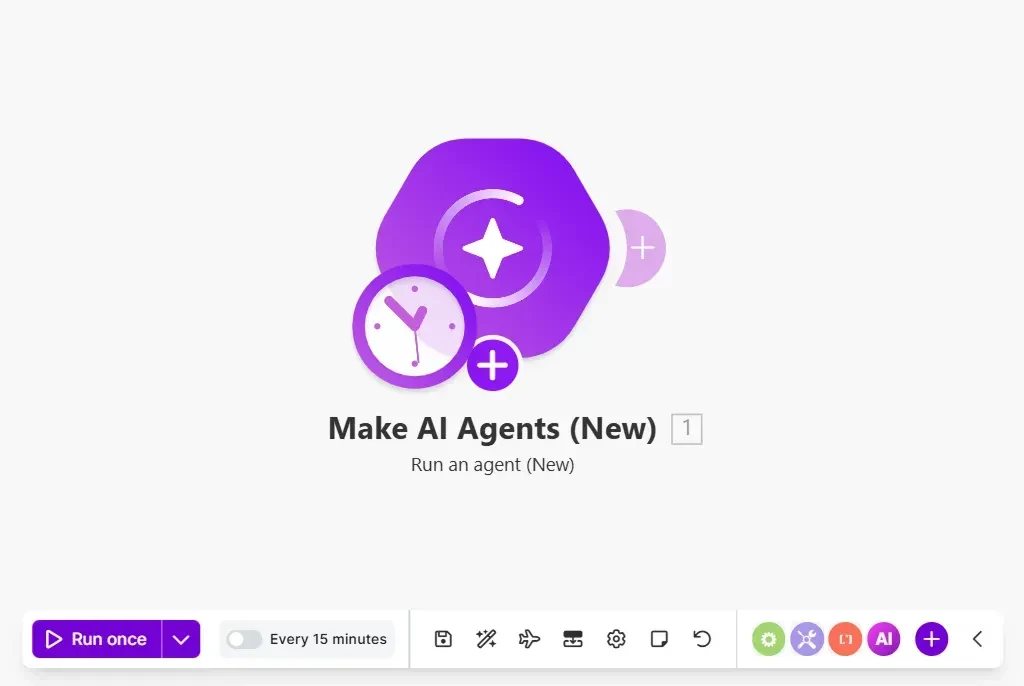
What is Make?
Make is a visual automation platform, not a standalone conversational assistant. Users build scenarios—automated workflows that connect apps, APIs, and data stores—by arranging modules on a drag-and-drop canvas. Each module performs an action (reading a record, posting a message, transforming data), and each action consumes credits. In 2026, Make added AI Agents that live inside the same scenario builder, letting users insert adaptive, natural-language-driven decision steps into otherwise deterministic workflows.
The platform integrates with 3,500+ apps and supports custom API connections, JavaScript/Python code via the Make Code app, and enterprise governance features such as team-level credit limits. Pricing is credit-based rather than per-task or per-execution, and the free tier is permanent but bounded: 1,000 credits/month, 1 MB of data storage, and a 5-minute cap on scenario execution.
How does Make work?
Users start by selecting a trigger (a new row in a spreadsheet, an incoming webhook, a scheduled interval) and then add modules that process or route the data. Data flows visually between modules, and users can insert filters, routers, iterators, and aggregators to control logic. AI Agents can be placed on the canvas as modules: they accept files or text, reason over the input using an LLM, call other tools or apps, and return outputs—PDFs, CSVs, images, or structured data—back into the workflow.
Every module action consumes credits; AI Agent runs consume 1 credit per operation plus token-based credits when using Make's AI Provider (or 1 credit per operation with a user-supplied OpenAI/Anthropic key, with tokens billed separately). Scenarios on the Free plan are cut off at 5 minutes; paid plans extend execution to 40 minutes. The Make Code app adds JavaScript/Python execution, billed at 2 credits per second of code runtime.
Use Cases
- Automating multi-step data pipelines between SaaS apps (e.g., syncing CRM records, generating reports, routing support tickets)
- Adding AI-driven file processing to workflows: reading invoices, validating extracted data, and generating summary PDFs or CSVs
- Building conversational or routing agents that classify incoming messages and trigger downstream app actions
- Orchestrating approvals and handoffs across teams with conditional branching and scheduled runs
- Replacing manual copy-paste operations between apps with auditable, visual scenarios
Pricing
Pricing model: Freemium
| Plan | Price | Billing | Included usage | Notes |
|---|---|---|---|---|
| Free | $0 | per month | 1,000 credits per month; 1 MB data storage; 1 data store; scenario execution limited to 5 minutes. | — |
| Core | from $9 | per month | Starting at 10,000 credits per month; full visual builder and AI capabilities on all paid plans. | — |
| Pro | from $16 | per month | Starting at 10,000 credits per month; priority support and advanced features. | — |
| Teams | from $29 | per month | Starting at 10,000 credits per month; collaborative team features and governance controls. | — |
| Enterprise | Custom | custom pricing | Custom credit volumes, advanced security, dedicated support, and enterprise governance. | — |
Common Limitations
- Credit consumption model · Every module action (read, write, update, delete, search, transform, iterate) consumes credits. Most actions cost 1 credit; AI operations using Make's AI Provider also consume token-based credits on top of the operation credit. Error handlers and routers do not consume credits.
- Scenario execution time limits · Scenarios on the Free plan are limited to 5 minutes per execution; paid plans allow up to 40 minutes. The Make Code app has a 30-second maximum execution time on standard paid plans and 300 seconds on Enterprise.
- AI agent credit costs · Running an AI Agent consumes 1 credit per operation plus token-based credits when using Make's AI Provider. Connecting your own OpenAI or Anthropic key reduces credit usage to 1 credit per operation, with token costs billed separately by the provider.
- Data and webhook storage caps · Data storage scales at 1 MB per 1,000 credits (maximum 1,000 data stores per organization). Webhook queue size scales at 667 per 10,000 credits, capped at 10,000. Incomplete execution storage is 10 MB per 10,000 credits, capped at 2 GB total.
- No free plan on n8n comparison context · Make offers a permanent free tier with 1,000 credits/month; n8n, a commonly compared alternative, does not offer a free plan and instead provides a 14-day trial, according to Make's official comparison page.
Key Features
- Visual drag-and-drop scenario builder
- AI Agents embedded in the scenario canvas
- 3,500+ app integrations and custom API connections
- Multi-modal agent inputs/outputs (PDF, CSV, images)
- Make Code app (JavaScript/Python, 2 credits/second)
Make vs. Zapier and n8n
This comparison uses official pricing and product documentation from each provider. It focuses on structural differences in billing, workflow model, and AI capability placement, not on unverified performance rankings.
| Tool | Positioning | Key differences | Best fit | Pricing note |
|---|---|---|---|---|
| Make Official pricing Official product description AI Agents announcement | A visual automation platform with AI Agents embedded in the scenario canvas. | Credit-based billing where actions and AI token usage consume credits. AI Agents are included in all paid plans and live inside the same visual builder as deterministic automations. 3,500+ app integrations. Cloud-only. | Teams that want visual, multi-step workflow orchestration with adaptive AI steps in one canvas, and are comfortable with credit-based cost planning. | Free: $0 with 1,000 credits/mo and 5-minute execution limit. Core from $9/mo, Pro from $16/mo, Teams from $29/mo, Enterprise custom. AI Agents included on all paid plans. |
| Zapier Official pricing Make's official comparison | A straightforward automation platform focused on linear, step-by-step Zaps. | Task-based billing (each successful action counts as a task). Free plan allows only two-step Zaps and 100 tasks/month. AI agent and chatbot capabilities are offered as separate add-ons rather than embedded in all paid plans. | Users who need the fastest path to a simple two-app automation and want the largest app catalog, with less emphasis on complex branching logic. | Free: 100 tasks/mo, two-step Zaps. Professional from $19.99/mo (billed annually). Team from $69/mo. Enterprise custom. AI features are separately priced add-ons. |
| n8n Official pricing Make's official comparison | A developer-oriented automation platform with self-hosting options and per-execution billing. | Bills per completed workflow execution rather than per action, which can be cheaper for high-step workflows but requires technical literacy. Offers self-hosted deployment, which Make and Zapier do not. No permanent free plan; 14-day trial only. | Developers and technical teams who need self-hosting, code-first customization, or per-execution cost predictability for complex workflows. | Starter €20/mo (billed annually), Pro €50/mo, Business €667/mo. No free plan; 14-day trial. Self-hosted option available separately. |
Comparison checked against official product information on 2026-11-05. Features and pricing may change.
Frequently Asked Questions
Is Make a replacement for ChatGPT?
No. Make is an automation platform for building structured workflows across apps. Its AI Agents add reasoning to those workflows, but Make is not a general-purpose conversational assistant for open-ended chat or writing outside an automation context.
How much does Make cost?
Make uses credit-based pricing. The Free plan includes 1,000 credits/month. Paid plans start at $9/month (Core), with Pro from $16/month and Teams from $29/month. All paid plans include AI capabilities. Credit volumes and storage scale with the plan.
What are the execution time limits?
Free plan scenarios are limited to 5 minutes per execution. Paid plans allow up to 40 minutes. The Make Code app has a 30-second maximum execution time on standard paid plans and 300 seconds on Enterprise.
How do AI Agents consume credits?
AI Agent runs cost 1 credit per operation plus token-based credits when using Make's AI Provider. On paid plans, connecting your own OpenAI or Anthropic key reduces Make's charge to 1 credit per operation, with token costs billed separately by the provider.
Does Make have a free plan?
Yes. The Free plan is not time-limited and includes 1,000 credits per month, 1 MB of data storage, and 1 data store. Scenario execution is capped at 5 minutes, and storage scales at 1 MB per 1,000 credits.
Alternative Tools
-
 n8n n8n is a source-available workflow automation platform with native LangChain-based AI Agent nodes. It offers a free self-hosted Community Edition with unlimited executions, while Cloud plans start at €20/month for 2,500 executions. Its core trade-off is flexibility and cost control at high volume against operational responsibility and a steeper learning curve.
-
 Zapier Zapier has the largest app catalog (9,000+) and the easiest automation editor in the category, and its free plan is genuinely free forever for two-step Zaps. But per-task billing scales linearly with step count, overage is automatic at 1.25x–2.5x and hard-pauses at 3x allocation, AI steps default to 3x cost and can pause the Zap at 75 tasks per run, the free tier cannot prototype multi-step logic, SSO starts at $69/month, and there is no EU data residency. It is a strong fit for simple, low-volume automations maintained by non-technical teams—and an increasingly expensive fit as workflows grow multi-step and high-volume.
-
 Fireflies.ai Fireflies.ai is an AI meeting notetaker that records, transcribes, and summarizes meetings, with unlimited transcription via Auto Join on all plans but storage and advanced AI features metered by plan and credits.
-
 Gamma Gamma is the fastest way to turn a prompt into a polished, scrollable web deck, and its 'Unlimited AI creations' plans are attractive on paper. But the card-based model that makes web output look good is the same model that makes PowerPoint export unreliable—3.5 hours of cleanup per 10-slide deck in independent testing—premium features still burn credits, the free plan never refills, and all data is US-hosted.
-
 Granola Granola is a bot-free AI meeting notetaker that captures device audio and produces polished, editable notes with unlimited meetings on the free plan. The trade-offs are deliberate: no audio recording means transcription errors cannot be verified, model training is on by default on Free and Business, there is no data residency outside the US, HIPAA is Enterprise-only, and a July 2026 wiretap class action challenges the silent-capture model.
-
 Notion AI Notion AI is an AI layer embedded in the Notion workspace that searches across connected apps, generates and edits content, transcribes meetings, and automates tasks through agents—with full access limited to Business and Enterprise plans.