
Grammarly
Grammarly is a cross-app writing assistant with a permanently free grammar-and-tone tier and a $12/month (annual) Pro plan, but its AI detector is more prone to false positives than Turnitin, its plagiarism checker cannot match journal similarity reports, and individual accounts train on content by default.
What is Grammarly?
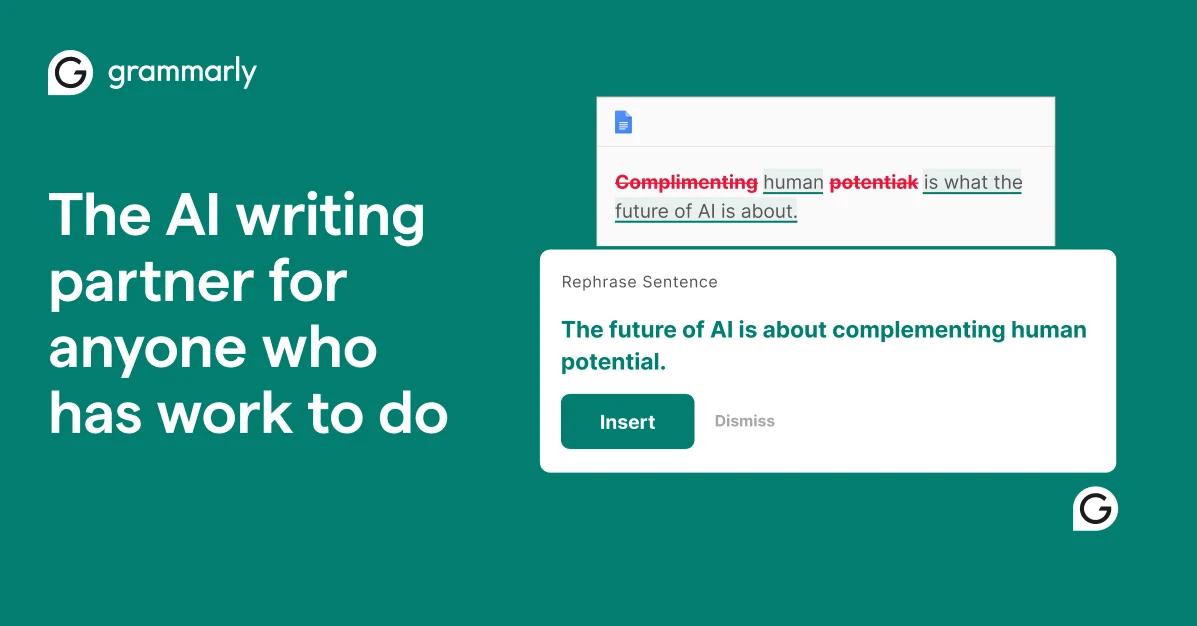
Grammarly is a writing assistant, not a full document editor or a standalone AI writing platform. Its structural role is to sit inside whatever application the user is already writing in—Gmail, Google Docs, Word, Outlook, Slack, LinkedIn, a browser text field—and surface corrections and suggestions inline. That integration breadth is the product’s core architectural bet. A user does not open Grammarly to write; Grammarly appears where writing already happens.
The feature set divides cleanly between correction and generation. On the correction side, Grammarly checks grammar, spelling, punctuation, clarity, engagement, and delivery, and flags tone. On the generation side, it offers full-sentence rewrites, tone transformation, outline generation, and prompt-driven text generation, metered by a monthly prompt allowance. The Free tier includes basic corrections, tone detection, 100 AI prompts, and 100 AI detection checks. Pro raises the prompt allowance to 2,000 and adds full-sentence rewrites, tone adjustment, plagiarism detection, and AI-text detection. Enterprise adds unlimited prompts, Confidential Mode, SCIM, data loss prevention, and organization-wide style controls.
Grammarly is now part of Superhuman, a suite that also includes Superhuman Go, Coda, and Superhuman Mail. The strategic direction is toward a proactive AI layer that surfaces next-step suggestions across applications rather than waiting for the user to invoke a writing check. That expansion matters for evaluation because it changes what Grammarly is competing with: not just ProWritingAid or LanguageTool, but the broader productivity-assistant category.
How does Grammarly work?
A user installs the browser extension, desktop app, or mobile keyboard, or works inside a supported application where Grammarly is integrated. As the user types, Grammarly underlines potential issues. Clicking an underline opens a suggestion card with an explanation and a one-click fix. Grammar, spelling, and punctuation corrections are available on Free without a per-check word cap. Tone detection is also visible on Free, but tone adjustment suggestions require Pro.
Generative features are invoked from the same interface. A user can select text and ask Grammarly to rewrite it, adjust its tone, shorten it, or generate a draft from a prompt. These actions draw from the monthly AI prompt allowance: 100 on Free, 2,000 on Pro, unlimited on Enterprise. When the allowance is exhausted, generative features stop responding until the monthly reset. The plagiarism checker, available on Pro and Enterprise, compares submitted text against Grammarly’s indexed corpus of web pages and ProQuest academic content and returns matched sources with similarity indicators. The AI detector, also Pro-gated, returns a likelihood score that the text was AI-generated.
Data handling depends on the account type and a setting the user controls. For individual Free, Premium, and single-user Pro accounts, Product Improvement and Training is on by default, meaning content can be used to train and validate models and inform feature development. Turning the toggle off in account privacy or data settings stops content from being used for those purposes. Enterprise accounts have training off by default. Grammarly states that it does not sell or monetize user content, does not provide it for advertising, and does not allow third-party service providers to train their models on user content.
Use Cases
- Catching grammar, spelling, and punctuation errors across email, documents, social media, and web forms without switching applications
- Using the Free plan’s 100 monthly AI prompts for occasional tone adjustments or short rewrites while keeping core corrections free
- Running a plagiarism check before submitting a manuscript to catch accidental reuse from open-access literature and indexed web pages, with the understanding that it does not replace a journal’s iThenticate report
- Generating first drafts or rewriting paragraphs in a consistent brand tone on Pro, within the 2,000-prompt monthly allowance
- Deploying Enterprise for organization-wide style guides, Confidential Mode, and training-off-by-default data handling
- Using Grammarly’s AI detector as a rough signal for text provenance, not as authoritative proof of authorship, given its documented false-positive tendency
Pricing
Pricing model: Freemium
| Plan | Price | Billing | Included usage | Notes |
|---|---|---|---|---|
| Free | $0 | free | Basic grammar, spelling, and punctuation correction. Tone detection (view only; no suggestions for adjustment). 100 generative AI prompts per month. 100 AI detection checks. Plagiarism detection is not included on Free. | — |
| Pro | $144 | per member per year | $12/month effective when billed annually. $30/month when billed monthly. $60 per member per quarter. 2,000 generative AI prompts per month. Full-sentence rewrites, tone adjustment suggestions, plagiarism detection, AI-text detection, brand tone and style guide features. Up to 149 seats. Grammarly Pro replaces the former Premium and Business plans. | — |
| Enterprise | Custom | custom | Unlimited generative AI prompts. Dedicated support, Confidential Mode, granular roles and permissions, data loss prevention, SCIM, and organization-wide style guides. Delivered through Superhuman Go, which extends assistance across apps and tabs. Enterprise data is excluded from model training by default. | — |
Common Limitations
- AI-detection accuracy is contested and can flag Grammarly-edited text as AI-generated · Grammarly’s AI detector is not a reliable arbiter of authorship. Curtin University’s official student guidance states that “Grammarly’s AI detection is much more sensitive than TurnItIn and more prone to false positives”[reference:0]. Grammarly’s own support documentation acknowledges that rewrites from Grammarly’s AI agents can raise the AI-detection score of the user’s text, and that running edited text through Grammarly’s AI detector may flag the user’s own edits as AI-generated[reference:1]. Independent tests have reported the detector catching 91% of grammar errors but flagging 67% of AI hallucinations, while the Humanizer tool reduced AI-detection scores by an average of 47 points[reference:2]. The detector is useful as a rough signal, not as authoritative proof of AI use or human authorship. Institutions that recommend Grammarly while running separate AI detectors can place students in a gap where edited work is flagged despite being human-written[reference:3].
- Plagiarism detection is corpus-limited and not equivalent to journal similarity reports · Grammarly’s plagiarism checker compares text against “over 16 billion web pages and academic papers in ProQuest’s databases,” with named sources including Wikipedia, PLOS One, ScienceDirect, PubMed, arXiv, and Springer[reference:4]. It is reasonable for catching accidental reuse from open web pages and indexed open-access literature. It cannot see publisher-deposited full text that journals check against Crossref Similarity Check/iThenticate, nor can it see the user’s own unpublished or under-review work[reference:5][reference:6]. A clean Grammarly report and a clean iThenticate report are claims about different corpora, not equivalent conclusions. Grammarly’s own plagiarism page does not publish an accuracy rate[reference:7]. Plagiarism detection is also Pro-gated; it is not available on Free[reference:8].
- Product Improvement and Training is on by default for individual accounts · Grammarly’s Product Improvement and Training control determines whether content can be used to train models and improve the product. For Grammarly Free, Premium, and single-user Pro accounts, the setting is on by default[reference:9]. Users can turn it off in account privacy settings (for Free/Premium) or data settings (for single-user Pro), after which Grammarly states it will not process user content for training or product improvement for other users[reference:10][reference:11]. Multi-user Pro accounts require an administrator to change the setting[reference:12]. Enterprise accounts have training off by default. The default-on posture on individual accounts is a material consideration for anyone handling confidential or client material, and it is a setting the user must actively locate rather than a presented choice at signup.
- Generative AI prompt allowance is metered and resets monthly · Free accounts receive 100 generative AI prompts per month; Pro accounts receive 2,000 per member per month; Enterprise receives unlimited prompts[reference:13][reference:14]. When the allowance is exhausted, Grammarly displays a “You’re out of prompts” message and generative features become unavailable until the next monthly reset[reference:15]. The prompt meter covers Grammarly’s generative AI features, not its core grammar and spelling corrections. A Free user who relies on generative rewrites for more than a few short passages per month will hit the cap; the 2,000-prompt Pro allowance is generous for individual writing but is a monthly allocation, not an unlimited one.
- No lifetime option, and pricing is structured around recurring billing · Grammarly does not offer gift subscriptions, lifetime plans, or one-time plans[reference:16]. Pro is available monthly ($30), quarterly ($60), or annually ($144, equivalent to $12/month)[reference:17]. The gap between monthly and annual pricing is substantial: a user who pays monthly for a year spends $360, versus $144 on the annual plan. The annual plan is the only pricing structure that makes Grammarly cost-competitive with alternatives on a per-year basis, but it requires upfront commitment. There is no perpetual license path, unlike ProWritingAid’s lifetime option.
- Desktop and browser coverage varies, and the Microsoft Editor extension landscape changed in 2025 · Grammarly’s cross-app coverage is one of its core selling points, but it is not universal. It works across browser extensions, desktop apps, and mobile keyboards, but there are documented gaps. Separately, Microsoft retired the standalone Editor browser extensions for Edge and Chrome on October 31, 2025, and moved those writing-assistance features into Microsoft Edge itself and into Word/Outlook for Microsoft 365 subscribers. Users who relied on the Editor extension as a lightweight alternative now need to work inside Edge or a Microsoft 365 application to access those checks, which changes the competitive comparison for anyone choosing between Grammarly and Microsoft’s offering.
Key Features
- Grammar, spelling, and punctuation correction across browsers, desktop apps, and mobile keyboards
- Tone detection on all plans; tone adjustment suggestions on Pro and above
- Full-sentence rewrites and generative text from prompts (100/month Free, 2,000/month Pro, unlimited Enterprise)
- Plagiarism detection against 16B+ web pages and ProQuest academic databases (Pro/Enterprise)
- AI-text detection (Free: 100 checks; Pro and above: included)
Grammarly vs. ProWritingAid and Microsoft Editor
This comparison focuses on documented differences in pricing structure, depth of analysis, cross-app coverage, and licensing model. It does not rank suggestion quality or writing outcomes, which depend on the user’s genre, language, and editorial standards.
| Tool | Positioning | Key differences | Best fit | Pricing note |
|---|---|---|---|---|
| Grammarly Grammarly Pro pricing Product Improvement and Training control Curtin University AI detection guidance | A cross-app writing assistant that embeds corrections, tone feedback, and generative features inside browsers, desktop apps, and mobile keyboards. | Broadest cross-application surface among the three. Free tier includes core grammar/spelling with no per-check word cap, 100 AI prompts, and 100 AI detection checks. Pro ($144/year, $12/month effective) adds full-sentence rewrites, tone adjustment, plagiarism detection, and 2,000 prompts. No lifetime option. Individual accounts have model training on by default. AI detector is documented as more false-positive-prone than Turnitin. Plagiarism corpus is ProQuest + open web, not publisher-deposited full text. | Writers who need inline assistance across many applications and value the breadth of integration over deep, single-document style analysis. | Free: $0, basic corrections, 100 AI prompts/month, 100 AI detection checks. Pro: $144/year ($12/mo effective), $30/mo monthly. Enterprise: custom, unlimited prompts, training off by default. No lifetime or one-time plans. |
| ProWritingAid ProWritingAid pricing and lifetime options (StackScored) Free vs paid limits comparison (TechPresso, 2026) Grammarly vs ProWritingAid pricing (Vappingo, 2026) | A deep style-analysis tool for long-form writers, offering 20+ writing reports, pacing and dialogue analysis, and a lifetime license option. | Optimized for depth of analysis rather than cross-app breadth. Free tier is limited to suggestions for 500 words at a time and 10 rephrases per day. Premium is $10/month billed yearly ($120/year), with a $399 lifetime option for Premium and $699 for Premium Pro. The lifetime license eliminates recurring cost, which Grammarly does not offer. ProWritingAid’s reports include structure, pacing, readability, sticky sentences, dialogue tags, and consistency checks that Grammarly does not replicate at the same depth. Its integration footprint is narrower than Grammarly’s. | Novelists, essayists, and long-form writers who need structural, stylistic, and pacing feedback on full manuscripts and want a perpetual license rather than a subscription. | Free: 500-word suggestions, 10 rephrases/day. Premium $10/mo yearly ($120/yr). Premium Pro $144/yr. Lifetime: $399 (Premium) or $699 (Premium Pro), one-time. |
| Microsoft Editor Microsoft Editor in Microsoft 365 Editor extension retirement and Edge integration (Microsoft Q&A) | A writing-assistance feature built into Microsoft Word, Outlook, and Edge, with advanced checks bundled into Microsoft 365 subscriptions. | Not a standalone writing platform in the same sense as Grammarly or ProWritingAid. Basic spelling and grammar are free with a Microsoft account. Advanced grammar, clarity, conciseness, formality, and vocabulary refinements require a Microsoft 365 subscription (Personal, Family, or Business), which bundles Editor alongside Office applications and other services. The standalone Editor browser extensions for Edge and Chrome were retired on October 31, 2025; features moved into Edge and Word/Outlook. Editor’s cross-app coverage is narrower than Grammarly’s, but it is effectively free for users already paying for Microsoft 365. It does not offer Grammarly’s plagiarism checker, AI detector, or generative prompt system. | Users already subscribed to Microsoft 365 who want competent grammar and style checking inside Word, Outlook, and Edge without an additional subscription. | Free basic checks with a Microsoft account. Advanced Editor features included with Microsoft 365 Personal ($9.99/mo), Family, or Business subscriptions. No separate Editor subscription required. |
Comparison checked against official product information on 2026-11-05. Features and pricing may change.
Frequently Asked Questions
Is Grammarly’s AI detector accurate?
It is not authoritative. Curtin University’s official student guidance states that Grammarly’s AI detection is “much more sensitive than TurnItIn and more prone to false positives.” Grammarly’s own support documentation acknowledges that its AI rewrites can raise the AI-detection score of text, and that running edited work through its detector may flag the user’s own edits as AI-generated. Independent tests have reported variable results. The detector is a rough signal, not proof of authorship, and should not be treated as a definitive verdict on whether text was AI-generated.
Is Grammarly’s plagiarism checker accurate enough for a manuscript submission?
It depends on what the journal checks. Grammarly compares text against 16B+ web pages and ProQuest academic databases, which is useful for catching accidental reuse from open-access literature and indexed web content. However, it cannot see publisher-deposited full text that journals check against Crossref Similarity Check/iThenticate, nor your own unpublished work. A clean Grammarly report and a clean iThenticate report are claims about different corpora. Grammarly’s own plagiarism page does not publish an accuracy rate. It is a reasonable pre-submission check, not a replacement for a journal’s similarity report.
Does Grammarly train on my content?
For Grammarly Free, Premium, and single-user Pro accounts, Product Improvement and Training is on by default. You can turn it off in account privacy settings (Free/Premium) or data settings (single-user Pro), after which Grammarly states it will not process your content for training or product improvement for other users. Multi-user Pro accounts require an administrator to change the setting. Enterprise accounts have training off by default. Grammarly states it does not sell or monetize user content, does not use it for advertising, and does not allow third-party service providers to train their models on it.
How much does Grammarly Pro cost?
Grammarly Pro is $30/member/month billed monthly, $60/member/three months billed quarterly, or $144/member/year billed annually (equivalent to $12/month). The annual plan is the only structure that makes the per-month cost competitive with alternatives; paying monthly for a year costs $360 versus $144 annually. Grammarly does not offer lifetime plans or one-time purchases.
What is the difference between Grammarly Free and Pro?
Free includes basic grammar, spelling, and punctuation correction, tone detection (view only), 100 generative AI prompts per month, and 100 AI detection checks. Pro adds full-sentence rewrites, tone adjustment suggestions, plagiarism detection, AI-text detection (included), brand tone and style guide features, and 2,000 AI prompts per month. Core grammar and spelling corrections on Free do not have a per-check word cap.
Alternative Tools
-
 DeepL Write DeepL Write is a translation-aware rewriting tool for European languages, not a general-purpose writing assistant: it offers strong natural-phrasing correction for non-native speakers, but excludes plagiarism detection, AI detection, generative drafting, and tone controls for Chinese, Japanese, and Korean.
-
 Jasper Jasper is a marketing workflow layer priced at $59–$69/seat/month that routes to third-party models (GPT, Claude, Gemini) rather than training its own; its value is Brand Voice governance and team consistency, not raw output quality, and its SEO workflow requires a separate Surfer subscription.
-
 Adobe Firefly Adobe Firefly is a generative AI platform built around commercially safe, licensed training data and deep integration with Adobe’s creative applications, offering image, video, audio, and partner-model generation through a credit-based subscription system.
-
 Bolt.new Bolt.new is StackBlitz's in-browser AI full-stack app builder. It runs a Node.js runtime inside your browser tab, installs packages, starts dev servers, and generates full-stack code from prompts—no local environment setup required.
-
 Browser Use Browser Use is an MIT-licensed open-source AI browser agent (Python and TypeScript) that lets LLMs control a browser, paired with a usage-based cloud offering at $0.02 per browser-hour for managed stealth browsers, CAPTCHA solving, and a hosted agent API.
-
 Canva Canva is a template-driven visual design platform whose AI layer—Canva AI 2.0—is a paid-plan feature for conversational editing inside the design editor, metered by a pooled monthly allowance that Free users can access only in a limited, earlier-generation form.